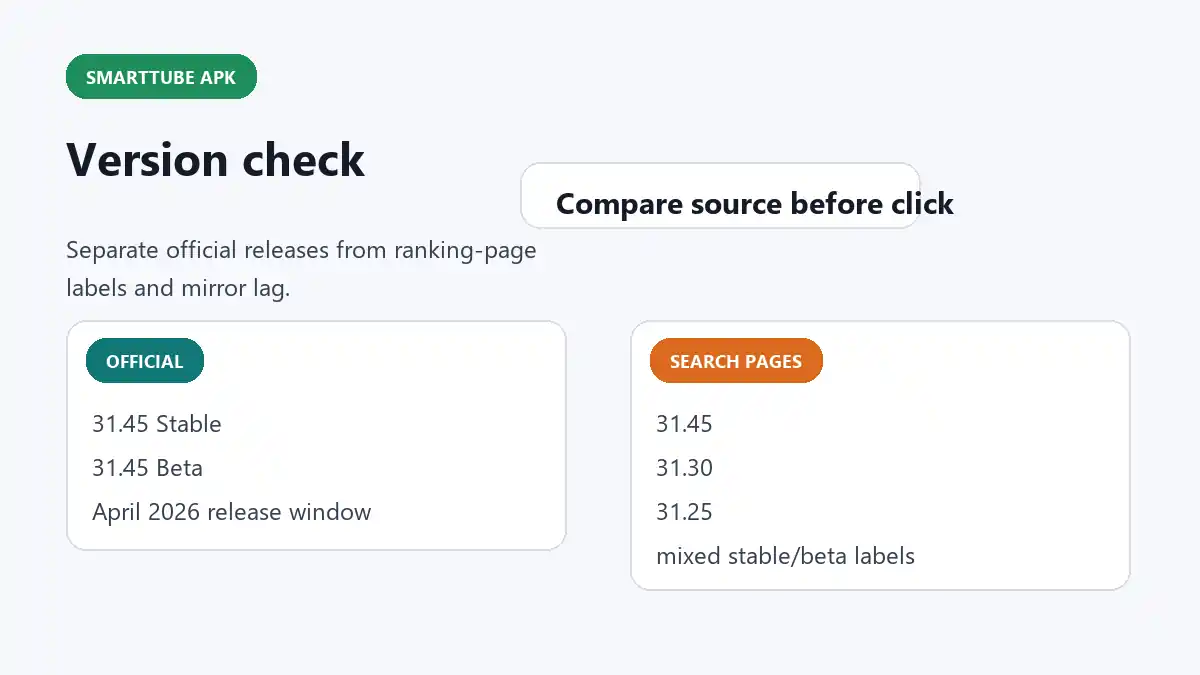
What I verified from the official source
As of April 12, 2026, the official GitHub releases view shows 31.45 Stable published on April 6, 2026 and 31.45 Beta published on April 5, 2026. The repo also shows an Important announcement about the app from December 31, 2025, which is directly relevant to how users should think about build trust and file verification.
What the ranking pages are showing instead
Current ranking pages for the same keyword are advertising a mix of versions such as 31.45, 31.30, and 31.25. That means a user searching casually could land on older labels even when the official project has already moved ahead.
That is the whole point of this page: not every "latest version" label is anchored to the same source logic.
Stable versus beta matters
The official project distinguishes between stable and beta, and the repo even notes that beta is generally recommended because bugs are fixed more quickly there. That is a much better explanation than the way many ranking pages flatten everything into one generic "download latest apk" message.
So the useful comparison is not just "which number is bigger." It is also "is this stable or beta, and is the page telling me that clearly?"
Why I treat the build notice seriously
The official project's announcement about malicious builds is one of the strongest reasons to keep the official GitHub page in the loop. This is not just a convenience app where any random mirror page should be treated as interchangeable. When the maintainers themselves are communicating build-trust information, I take that as a sign to verify first and click later.
My version-check routine
- open the official GitHub releases page first
- note the current stable and beta context
- compare the external page's version label to that official context
- check whether the page explains its source, or only says "latest"
- read the build/security announcement before trusting a random mirror
How this connects back to the rest of the site
This version page works best together with the main article and the install notes. The main article explains the keyword and the device fit. The install page explains how TV-style setup actually works. This page keeps the version topic from becoming vague.